
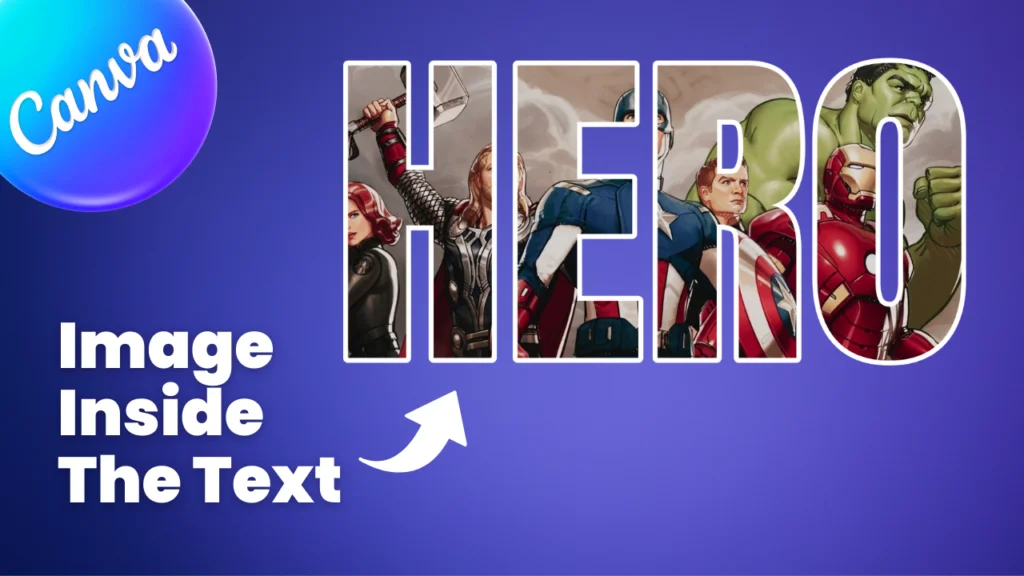
Placing an image inside text in Canva is very easy to do. It just takes a few minutes to create that effect. This is a very creative effect, and it makes the image look more creative. Canva has a multiple small apps option inside the Canva apps, and one app can do this effect very easily. Let’s dive into a step-by-step guide and learn how to do that.
Step 1
- Open your design and add your image of who you want to add inside the text.
- Go to the “Apps” option, and in the apps option search “type Cutout” (to recognize the app, see the image below).

Step 2
- Open the Image Cutout app, and you can see some options.
- In this app, you can add text, edit its font, add & apply an Image to the text, and customize its image size as well.
- First, add your text to the Text option and select your font.
- You can also add your custom font.
- After that, your text is ready. Now you can add an image.

Step 3
- Now you have two options to add an image inside the text.
- First is the “Use Selected Image” option, where you can add your selected image to that text.
- Second is “Choose File,” where you can choose an image from your local computer.
- Select according to your needs (I chose the first one).
- After that, your image is applied to the text. Now you can customize this image’s rotation and scale by clicking the “Image Setting” option.
- After all things are perfect, press the “Add to design” option to add this to your design.
- Now your Place image inside the text effect is complete.

Suggested Blog Post
- If you want to know how to blend an image with a background in Canva, I also wrote about how to do that in a step-by-step guide. Click here to read: How to Blend an Image with a Background in Canva.
Conclusion
Placing an image inside text in Canva is very easy to do. It just takes a few minutes to create that effect. Canva gives you full freedom to make that type of effect. What are your thoughts about this effect? Let me know in the comments. If you want to watch a full tutorial about this topic, you can watch my YouTube video as well.
Have a nice day.
Topic: Canva, Image inside the text

Hi, I’m Ashish Zapadiya! I’m the founder of filcen.com, a passionate content creator diving deep into Editing and Tech. With my awesome team, I’m on a mission to build a leading company, always focused on delivering top-notch content.

